AI Phishing and Deepfakes: VPN Protection Guide 2026
AI-powered phishing and deepfakes are surging. Which defense layers actually protect you, and where does VPN fit in? In-depth guide.
Published by: VPN Advisor
Source-led article. Provider claims and independent records are kept distinct; no laboratory result is implied unless stated. How this site works →
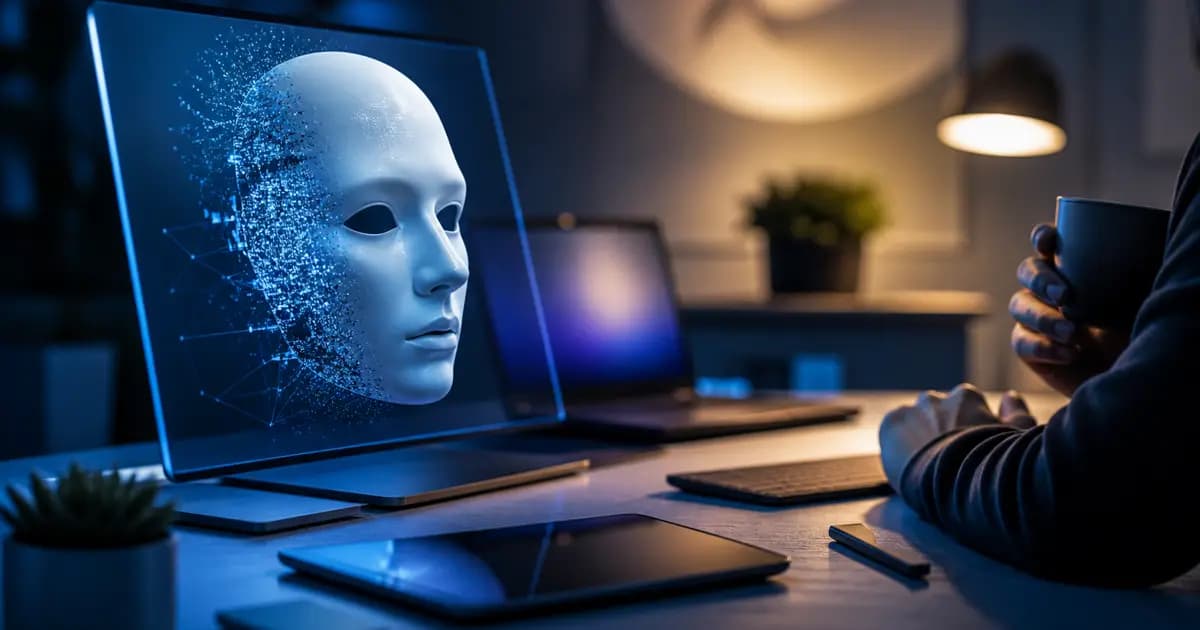
ChatGPT, Claude, and other large language models speed up writing — but the same capabilities are now in attackers' hands. By 2025-2026, phishing emails arrive without grammar errors, addressing targets by name, mimicking corporate context. Deepfake video and voice synthesis make scam calls believable. This guide covers AI-driven attacks, where VPN fits in this defense ecosystem, and which layers actually matter.
For VPN selection, see our comparison page and privacy-focused best VPN list.
Why AI Phishing Is So Effective
Three differences from classic phishing:
1. Perfect language: ChatGPT, Claude, Gemini write fluently in the target language. Turkish, Arabic, Japanese — gone are the characteristic grammar errors. "Tone matching" — imitating an executive's writing style — takes seconds.
2. Spear phishing at scale: Traditional targeted phishing took hours per attack. Now LinkedIn profile + public info + LLM = personalized lure in minutes.
3. Long context windows: Modern models hold 200K+ tokens. Attackers feed leaked corporate emails or public information as context and tailor responses accordingly.
Deepfakes: Voice and Visual Fraud
Voice synthesis (ElevenLabs, Resemble.ai, OpenAI's Voice Engine) now clones a voice from a 30-second sample. Result:
- CEO fraud calls: "Urgent payment" call in the boss's voice
- Family emergency scams: Child/grandchild voice asking for help
- Voice biometrics bypass: Some banking systems use voice fingerprints
Visual deepfakes (less Midjourney, more Stable Diffusion + LoRA-based tools) are used for social media fraud, identity bypass, and election manipulation.
Where Does VPN Fit?
VPN can't block all of these — VPN doesn't stop phishing emails arriving. But VPN contributes to defense in three dimensions:
1. Reducing IP and Location Exposure
Attackers can use IP, approximate location, and ISP information when profiling targets. A correctly configured VPN reduces the destination IP and DNS metadata visible to the local Wi-Fi network or ISP, and sites see the VPN exit IP. Logged-in services, browser fingerprints, and traffic patterns can still support profiling. See our VPN privacy and security article.
2. DNS Hijack and Fake Site Redirects
Some attacks use forged DNS responses to redirect users to an imitation site. Routing DNS queries through a trusted resolver inside the VPN tunnel can reduce local-network DNS manipulation, but a DNS leak, misconfiguration, or compromised endpoint can leave gaps. DNS routing also does not prove that a destination is legitimate. Our DNS leak test article shows how to check routing on your own connection.
3. Public Wi-Fi MITM
Untrusted networks in cafes or airports can expose users to rogue access points, passive traffic observation, and local-network tampering. A VPN tunnel reduces the risk of traffic being read or altered between the device and VPN server; it does not fix a malicious captive portal, compromised device, phishing site, or session cookie stolen earlier. Our VPN for travel article covers these boundaries.
What VPN Doesn't Solve
Be clear — VPN alone is insufficient:
- VPN won't stop incoming email
- VPN won't stop a deepfake voice call
- If you click a phishing link in browser, VPN doesn't help (some providers add URL filtering, not 100%)
- Social engineering (psychological manipulation) still works
Hence multi-layer defense.
Multi-Layer Defense Stack
Recommended stack:
- VPN (no-logs claim audited): Traffic encryption between the device and VPN server, plus DNS routing when configured correctly. Check the audit date and scope; an audit is not a guarantee of no logging or zero leaks. See our VPN selection guide.
- Hardware key (YubiKey, Titan): For 2FA. SMS 2FA is now insecure (SIM swap attacks).
- Password manager: 1Password, Bitwarden, Proton Pass. Origin matching can reduce autofill on lookalike sites, but the user should still verify the address.
- Email security scanning: Modern Gmail/Outlook AI scans, but corporate accounts need extra layer.
- Family code word: Defense against voice deepfake — agree on a verification word in advance. "Urgent payment" call asks for the word.
Personal Security Using AI Tools
When typing sensitive info into ChatGPT, Claude, Perplexity:
- If you use a VPN, the service sees the VPN exit IP; this does not hide your signed-in account or prompt content from the service
- Review the service's current data-use and training controls in your account; options can vary by product and plan
- Don't type company secrets, customer data, SSN — use enterprise version
- Clear chat history regularly
Detail in our AI tools privacy article.
Corporate Scale: Employee Training
AI phishing is critical at the corporate level. Key measures:
- Regular simulation testing (KnowBe4, Hoxhunt, etc.)
- Suspicious-email reporting flow
- Second-channel verification for finance ops (email + phone)
- VPN required for remote workers (remote work VPN article)
- Corporate SSO + MFA
Authoritarian Regimes and Activists
State-driven AI surveillance and targeted phishing are growing. Standard VPN is insufficient here:
- Multi-hop / double VPN
- Tor over VPN
- OPSEC (operational security) training
Our China and Russia AI access article covers this.
Frequently Asked Questions
Does VPN fully protect me from phishing? No. VPN only handles IP/location and traffic encryption. Without email filtering, hardware 2FA, and training, it's insufficient.
How do I detect a deepfake voice call? Unusual urgency, abnormal payment method (crypto, gift cards), refusing video — red flags. Family code word is the most practical defense.
Will a free VPN do? Price alone does not establish whether a VPN is safe. Review the business model, data-collection policy, app permissions, and current independent audits, and avoid providers whose practices are unclear. See our free vs paid VPN article for evaluation criteria.
Do ChatGPT, Claude themselves write phishing? Officially no — they have guardrails. But jailbreaks or local open-source models (Llama, Mistral) let attackers bypass them.
Conclusion
AI-powered phishing and deepfakes call for layered defenses. A VPN with a current, scoped audit, locally verified kill-switch and DNS behavior, hardware-backed MFA, a password manager, and training can reduce risk; none of them completely prevents phishing or deepfake attacks. Test the VPN's DNS and kill-switch behavior on your own device.
For the right VPN, see our comparison page and privacy-focused best VPN list.
Primary references and verification
These sources support the article's core definitions, platform rules or technical claims. Service terms and product behavior can change; links were checked on August 27, 2026.
- CISA: Recognize and Report Phishing
Primary guidance for recognizing social-engineering attacks and suspicious links.
- NIST: AI Risk Management Framework
A primary framework for identifying and managing AI-related risks.
Read sources and limitations. If a source has changed or a claim needs correction, use the contact page.
Ready to make a decision?
Explore source-based provider profiles and comparisons organized by real-world use case.
Related Posts
AI Tools and Privacy: Data Protection with VPN
How ChatGPT, Claude, and Gemini store your conversations. Opt-out settings, VPN's IP-masking role, and a guide for sensitive AI use.