VPN Kill Switch: What It Is and Why It's Critical
A VPN kill switch is designed to block traffic when the tunnel drops. System-level vs app-level scope, limitations, and checks to run on your own device.
Published by: VPN Advisor
Source-led article. Provider claims and independent records are kept distinct; no laboratory result is implied unless stated. How this site works →
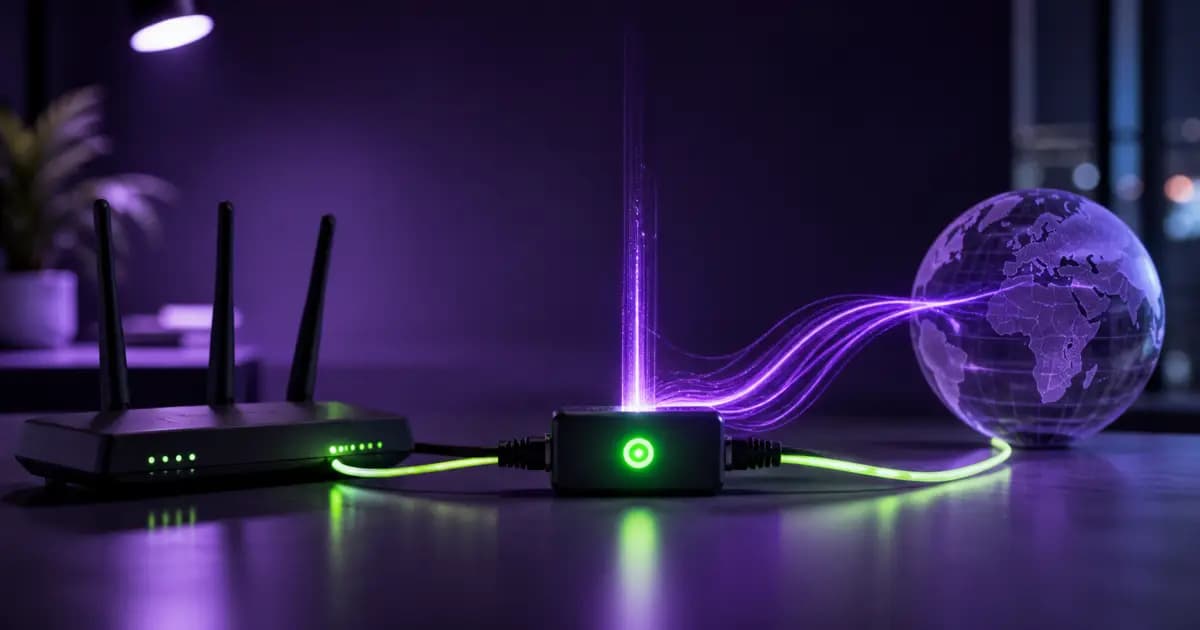
What happens if your VPN connection drops briefly? The operating system may fall back to the regular network path, allowing new connections to expose your real IP and destination metadata. HTTPS content remains separately encrypted, but unencrypted traffic may be readable to the local network or ISP. A kill switch is designed to reduce risk during this transition window.
What Is a Kill Switch?
A kill switch is a security feature designed to block selected applications or the device's normal internet route when the VPN drops. Its coverage depends on the operating system, app version, network transitions, and configuration. When it works as intended, it reduces the risk of real-IP, DNS, and application traffic leaving outside the tunnel; it is not a zero-leak guarantee under every condition.
It's called "kill" because its purpose is to close the route outside the tunnel quickly. Think of it as insurance: most of the time you don't notice it, but it is an important protection layer when the connection drops.
Why Do VPN Connections Drop?
Even with robust infrastructure, VPN drops are inevitable. The most common causes:
Network switching: Moving from Wi-Fi to mobile data forces the VPN tunnel to rebuild.
Server congestion: An overloaded VPN server may drop your connection.
ISP interference: In some countries and networks, VPN traffic is actively blocked.
Sleep/wake cycles: When you open your laptop lid, reestablishing the VPN client takes seconds.
Protocol timeouts: WireGuard, OpenVPN, and IKEv2 have different handshake durations; dropped packets force a reconnection.
Power management: Mobile devices may kill the VPN app in the background to conserve battery.
The key point: even during a very brief drop, an active application can establish a new connection and reveal your real IP to the other endpoint. Verify the feature on your own device across network switching, sleep/wake, and forced tunnel-drop scenarios.
What Leaks Without a Kill Switch?
If the operating system returns to the normal route when a VPN drops, the following can leave outside the tunnel:
- Your real IP address: Sites or services contacted during the drop can see the IP assigned by your ISP
- DNS queries: If the device falls back to the system resolver, domain lookups may go to the local network or ISP
- Non-HTTPS traffic: Legacy APIs, some IoT devices, and internal network traffic may become readable
- Torrent peer connections: If the active client reconnects over the normal route, peers may see your real IP
- Application telemetry: Background services may connect outside the tunnel
On peer-to-peer networks, an active client can reconnect over the normal route during even a brief drop. The exposure depends on the application's retry behavior and the kill switch's actual scope.
System-Level vs Application-Level Kill Switch
Kill switches come in two fundamental flavors, and the difference directly determines your protection level.
Application-Level Kill Switch
Blocks only specific applications. The user pre-marks which apps should stop when the VPN drops. Other apps continue working normally.
Advantage: Flexibility. You might want your banking app to keep working independently of the VPN.
Disadvantage: Limited scope. Background services not on the list may use the normal route, including OS update services and cloud backup agents.
System-Level Kill Switch
Designed to block device-wide traffic when the tunnel is unavailable. It is usually implemented through firewall or network-filter rules (WFP on Windows and pf/nftables-like controls on macOS/Linux); local-network exceptions, IPv6, DNS, and OS transitions still depend on the implementation.
Advantage: Can provide broader coverage than an application list. Its behavior should still be tested on each operating system and network type.
Disadvantage: Local network access is also cut, requiring separate configuration for printers or NAS.
For higher-risk scenarios, such as journalism or communications on censored networks, system-level coverage is generally more appropriate. It is still not sufficient by itself and should be paired with OS controls and independent leak checks. For deeper context, see our VPN privacy and security guide.
"Always-On" Kill Switch and the Key Difference
Some providers (notably Mullvad and ProtonVPN) offer a second tier called "always-on" or "lockdown mode." If a standard kill switch activates only after the first VPN connection, traffic may use the normal route between device startup and tunnel establishment.
Always-on mode aims to block internet access until the tunnel is established on supported operating systems and configurations. It offers broader coverage for startup traffic, but verify it on your device through restart and network-change tests.
How Different Providers Implement Kill Switch
All major providers offer some form of kill switch, but quality varies significantly.
NordVPN: Both system-level (Windows/macOS/Linux) and app-level (Windows only) options. Strong with NordLynx protocol. Limited on iOS.
ExpressVPN: Marketed as "Network Lock," works at the system level. Standard on all desktop platforms. Mobile uses OS-level VPN settings via IKEv2.
ProtonVPN: Offers both standard kill switch and "Permanent Kill Switch" (always-on equivalent). One of the most mature implementations on Linux clients.
Mullvad: Always on by default, no option to disable. Uses system-level firewall rules with WireGuard.
Surfshark: System-level kill switch on all platforms. No app-level option.
When choosing a provider, always check what level of kill switch operates on which platform. Some VPNs have excellent kill switches on Windows but lacking implementations on Mac or none on iOS. Our VPN selection guide covers this in depth.
How to Test if Your Kill Switch Works
A feature being on the label doesn't mean it actually works. Here's how to test your kill switch:
- Connect the VPN and verify your real IP via
ipleak.net - Leave the test page open
- Instead of using the VPN client, kill the VPN connection from the OS network adapters (on Windows, disable the TAP/WireGuard interface from Network Adapters)
- After a few seconds, when ipleak.net auto-refreshes, your IP should be empty or show a connection error
- If your real IP appears, the kill switch isn't working
Run the same test for DNS leaks. Even with a working kill switch, some providers fall back DNS queries to system DNS. Our DNS leak testing guide walks through this step by step.
Kill Switch and Other Security Layers
A kill switch alone isn't enough. Layers to evaluate together for broader risk reduction:
Encryption protocol: No matter how good the kill switch, weak protocol means traffic itself is exposed. See our WireGuard vs OpenVPN comparison for modern protocol options.
DNS leak protection: A kill switch aims to block the normal route, but DNS queries can still leave through another path when configuration is incomplete.
IPv6 leak prevention: Many VPNs only route IPv4 traffic; IPv6 leaks separately.
WebRTC leak protection: Browser-level mitigation is needed.
These layers cover different paths. Do not assume complete protection without testing IP, DNS, IPv6, and WebRTC behavior separately.
When Should You Disable the Kill Switch?
Always-on is the safest default, but some scenarios may require temporarily disabling it:
- Local network use: Access to printers, NAS, or smart home devices
- Conferences/presentations: When momentary drops disrupting video calls is unacceptable
- Banking: Banks may flag VPN traffic as suspicious and temporarily lock accounts
- Speed testing: Establishing a baseline without VPN
Outside these — especially for torrenting, sensitive communication, and operations in censored countries — keep the kill switch on.
Frequently Asked Questions
Does a kill switch drain battery? No. The kill switch only activates when the connection drops. It doesn't actively do anything; it just sits as a firewall rule.
Do free VPNs offer kill switches? Most don't, or implementations are very limited. This is one of the most critical differences between free and paid VPNs.
Is iOS kill switch reliable? Apple's "Always-on VPN" feature has been available since iOS 14 but requires a configuration profile. Third-party VPN apps' built-in kill switches are limited.
What if my connection drops every few seconds? First, switch protocol (OpenVPN to WireGuard). Then try a different server. If the issue persists, use standard kill switch mode instead of always-on so automatic reconnection is faster.
Do I need a kill switch when using Tor over VPN? Yes, even more so. If the Tor connection drops, the VPN tunnel may also drop, exposing your real IP.
Conclusion
A kill switch is an important feature for reducing risk during VPN connection drops. Active applications can return to the normal network route during a brief interruption; system-level implementations generally provide broader coverage than application lists, but OS and configuration gaps mean they should not be assumed leak-proof.
When choosing a provider, check its documentation for platform-specific kill-switch scope, run your own leak checks after installation, and consider always-on mode when it fits your needs. Our best privacy VPN comparison summarizes sourced feature information; verify current behavior on your own device.
Privacy is not built on a single layer. A kill switch can limit traffic outside the tunnel during unnoticed connection drops; DNS, IPv6, WebRTC, and application exceptions still need separate checks.
Primary references and verification
These sources support the article's core definitions, platform rules or technical claims. Service terms and product behavior can change; links were checked on August 27, 2026.
- Google Android Enterprise: Set Up VPN on Android Devices
Official guidance covering always-on VPN and block-without-VPN controls.
- NIST: Guide to IPsec VPNs (SP 800-77 Rev. 1)
Primary technical guidance on VPN architecture, security and limitations.
Read sources and limitations. If a source has changed or a claim needs correction, use the contact page.
Ready to make a decision?
Explore source-based provider profiles and comparisons organized by real-world use case.
Related Posts

Current Cyberattacks in September 2026: Passkey Phishing, AI Fraud and Fake Downloads
A source-led September 2026 briefing on passkey phishing, AI-assisted invoice fraud, fake installers, fake IT support and VPN limits.

VPN for Privacy and Security: How to Protect Your Digital Footprint
Protect yourself from ISP surveillance, data collection, and online tracking. Discover VPN's privacy and security benefits.
WireGuard vs OpenVPN: Which VPN Protocol Wins in 2026?
WireGuard and OpenVPN are the two main VPN protocols. Detailed comparison on speed, security, battery life, and censorship resistance.